How to Add an Order Form with an Estimate to a Wix Site
How to add an order or quote request form to your Wix site: ask only the relevant questions, show a live itemized estimate and review every request with its revision history.
When every order is a little different, a plain contact form leaves you chasing details: how many guests, which service, pickup or delivery. This guide covers installing Formora, building a request form from the catering template, adding conditional questions and prices, checking the estimate, adding the form to a page and handling the requests that come in.
Install Formora from the App Market
Install Formora from the Wix App Market. It adds an Order Forms page to your site dashboard and a Catering Request Form widget for your site.
Free allows up to 20 questions, 5 of them conditional. Pro is $8.99/month, or $7.46/month billed yearly, and allows up to 60 questions plus one-time customer correction links.
Start from the catering template
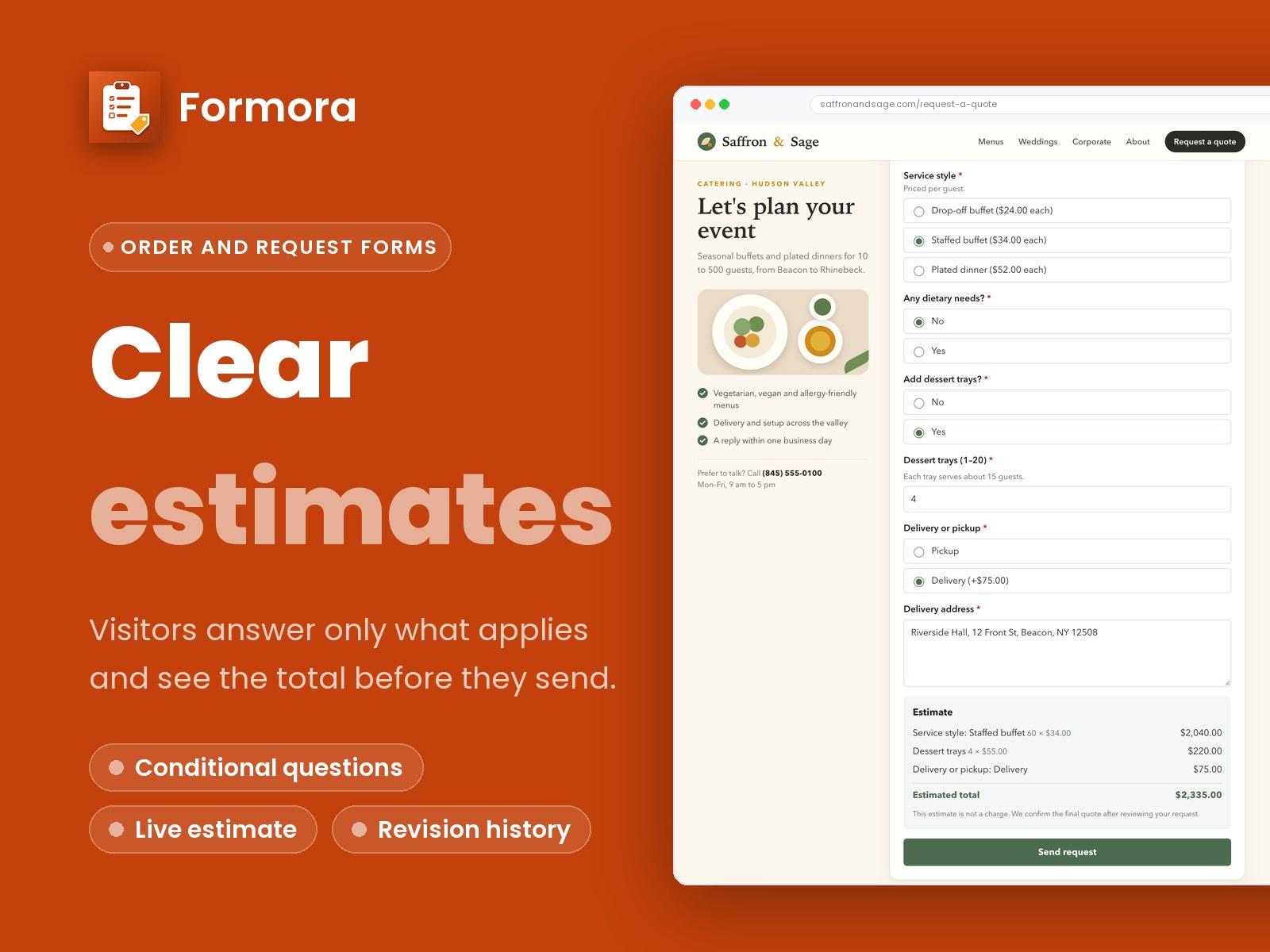
Open Order Forms and choose the catering request template. It loads into an unsaved draft with questions for the event date, number of guests, service style, dietary needs, dessert trays and delivery, so you can see how a priced form fits together.
Change the questions to match your business. There are seven question types: short text, paragraph, email, phone, date, quantity and choice. Any question can be required and have help text. Nothing goes live until you click Save form.
- Choose the catering request template
- Edit, reorder or remove questions
- Set the form title, intro and confirmation message
- Click Save form
Ask only the questions that apply
Make a question conditional so it only shows when an earlier choice question is answered a certain way. For example, ask for dietary details only when a visitor says they have dietary needs, and ask for an address only when they choose delivery.
Visitors never see questions that don’t apply to them, and Formora drops answers to hidden questions on the server, so a request only contains what matters.
Add prices for a live estimate
Give a choice answer a price once per request or per unit, such as per guest, and give a quantity question a unit price. Visitors see an itemized estimate that updates as they answer, and the server recalculates it from the accepted answers.
The estimate is not a charge. Formora doesn’t take payments: you confirm the final quote with the customer yourself. Replace the template’s example prices with your own before you share the page.
Preview, then add the form to a page
Preview the saved form with sample answers and check its estimate on the server. The check uses the same validation and pricing as a real request but never stores one.
In the Editor, open the page for your form and add the Catering Request Form widget from Add Elements → App Widgets, then publish your site. Send yourself a test request to check the receipt.
- Preview the saved form
- Add the widget from Add Elements → App Widgets
- Publish and send a test request
Review requests and correct them when plans change
Requests appear under Requests in the dashboard with their reference, answers and estimate. Set a status of New, Reviewed or Closed, reply by email from your email app or delete a request.
When a customer changes their plans, correct the answers yourself with a note on what changed. Each correction is a new revision, and the history keeps the original answers with the estimate for each revision. On Pro, you can instead send the customer a one-time correction link.
Formora doesn’t send email notifications, so check the dashboard for new requests.
Frequently asked questions
Can I add an order form with prices to Wix without code?
Yes. Build the form in Order Forms in your site dashboard, then add the Catering Request Form widget from Add Elements → App Widgets in the Editor.
Can visitors pay through the form?
No. Formora shows an estimate and collects the request. It doesn’t take payments; you confirm the final quote with the customer.
Can I use Formora for something other than catering?
Yes. The catering template is a starting point: change the questions, prices and title to suit any business that quotes each order, such as event rentals, cakes or custom work.
Will I get an email when a request arrives?
No. Formora doesn’t send email notifications. New requests appear under Requests in the Order Forms dashboard.
How much does Formora cost?
Free allows up to 20 questions, 5 of them conditional. Pro is $8.99/month, or $7.46/month billed yearly, and allows up to 60 questions plus one-time customer correction links. After a downgrade, your saved form and links already sent keep working.
Related Wix guides
Check Formora beta status
Free allows up to 20 questions, 5 of them conditional. Pro is $8.99/month, or $7.46/month billed yearly, and allows up to 60 questions, all of them conditional if you like, plus one-time customer correction links. After a downgrade, your saved form keeps working and links already sent keep working; only saving a bigger form and sending new links are blocked.