How to Check Your Wix Site for Accessibility Issues
How to find and fix common accessibility problems on a Wix site, such as missing alt text, unlabelled form fields and skipped headings, and why automated checks are only a first step.
Accessibility means people can use your site whether they see, hear, move or read differently: with a screen reader, a keyboard, zoom or captions. Many common problems are simple to fix once you know where they are. This guide covers the problems you can find automatically on a Wix site, how to fix them in the Editor, and what still needs a person to check.
Start with the problems a tool can find
Some issues can be detected automatically from a page’s HTML: images without alt text, links and buttons with no readable name, form fields without a label, empty headings, skipped heading levels, and a missing page title or language.
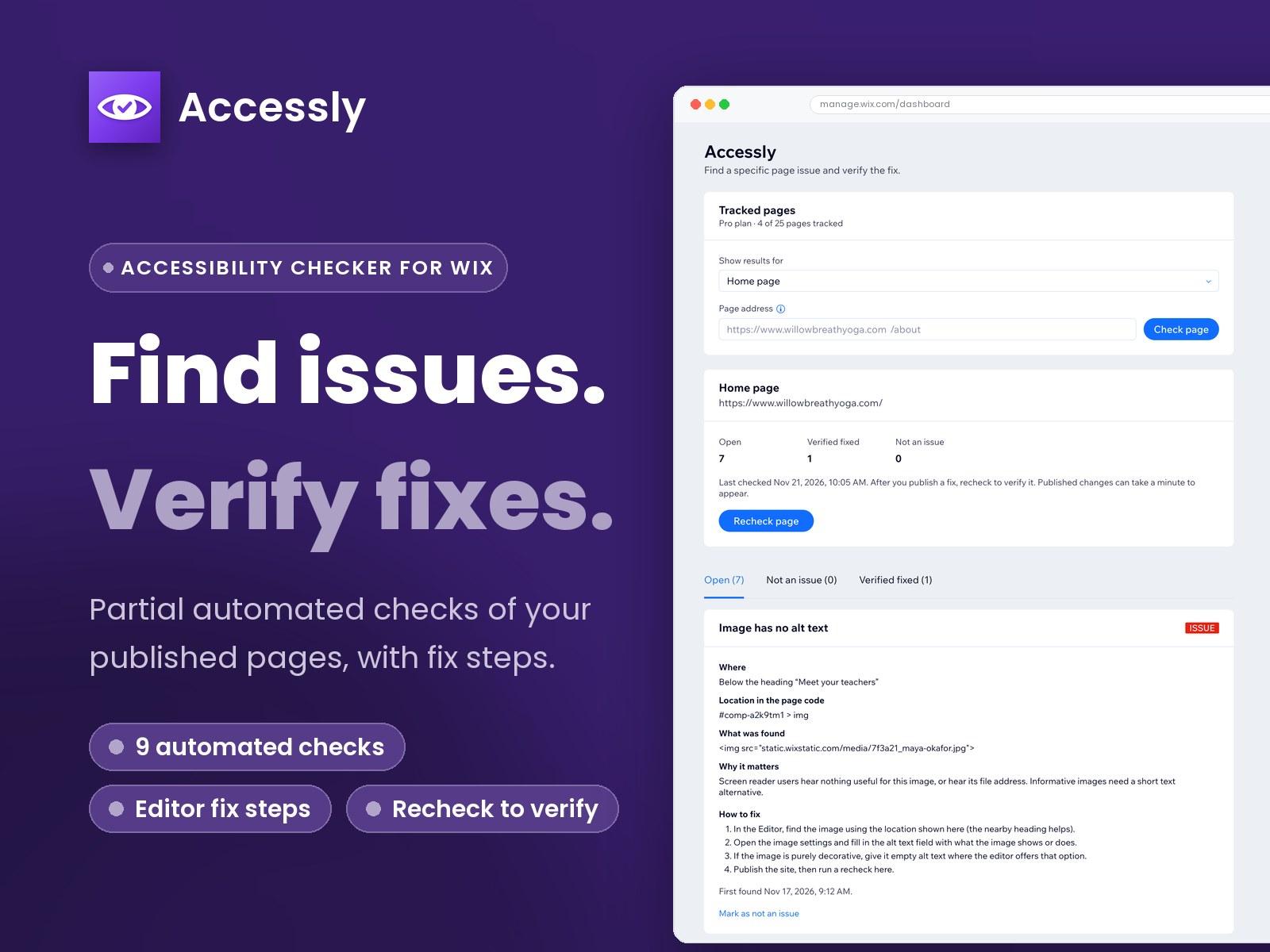
Accessly runs these nine checks on pages of your published site and shows where each problem is, why it matters to visitors and how to fix it in the Editor.
- Image alt text
- Link and button names
- Form field labels
- Heading structure
- Page title and language
Fix them in the Editor
Most fixes are settings on the element: add alt text in an image’s settings, give an icon link a descriptive label, connect a form field to a visible label, and use heading levels in order instead of picking them for size.
After you publish, recheck the page. In Accessly, results that are gone are marked verified fixed with the date, so you can see your progress over time.
Not every result is a problem
A purely decorative image may not need alt text, and an unusual heading order can be deliberate. When a result isn’t a real problem, mark it as not an issue and note why, so you and anyone you work with know it was reviewed.
Then check by hand
Automated checks find only some problems. They can’t judge whether alt text is meaningful, whether colors have enough contrast in context, whether everything works with a keyboard, or how a screen reader announces the page. Content that apps add after the page loads is also outside what HTML checks see.
Use the automated results as a to-do list, then try your key pages with only a keyboard and with a screen reader. For legal or contractual requirements, get a professional review.
Frequently asked questions
Does Wix have accessibility tools?
Wix includes an accessibility wizard in the Editor and settings such as alt text and heading tags. A checker app like Accessly adds per-page results you can track and recheck.
Can an app make my site accessible automatically?
No app can do that on its own. Accessly doesn’t change your site; it points to common problems so you can fix them, and a manual review is still needed.
Which pages should I check first?
Your home page and the pages where visitors buy, book or contact you. Fixes there help the most people.
How much does Accessly cost?
Free tracks 1 page. Pro is $7.99/month and tracks up to 25 pages.
Related Wix guides
Try Accessly on Wix
Free tracks 1 page. Pro is $7.99/month, or $79.56/year when billed yearly (17% off), and tracks up to 25 pages. Billing is handled by Wix.