How to See Where Visitors Click on Your Wix Site
How to find out whether visitors click the main button on your Wix pages, using a privacy-first click heatmap instead of session recordings, and what to change based on the results.
Page views tell you how many people arrived. They don’t tell you whether anyone clicked the button you built the page for. A click heatmap answers that: where on the page do clicks land, and on what? This guide shows how to measure it on a Wix site without recording your visitors, and how to act on what you find.
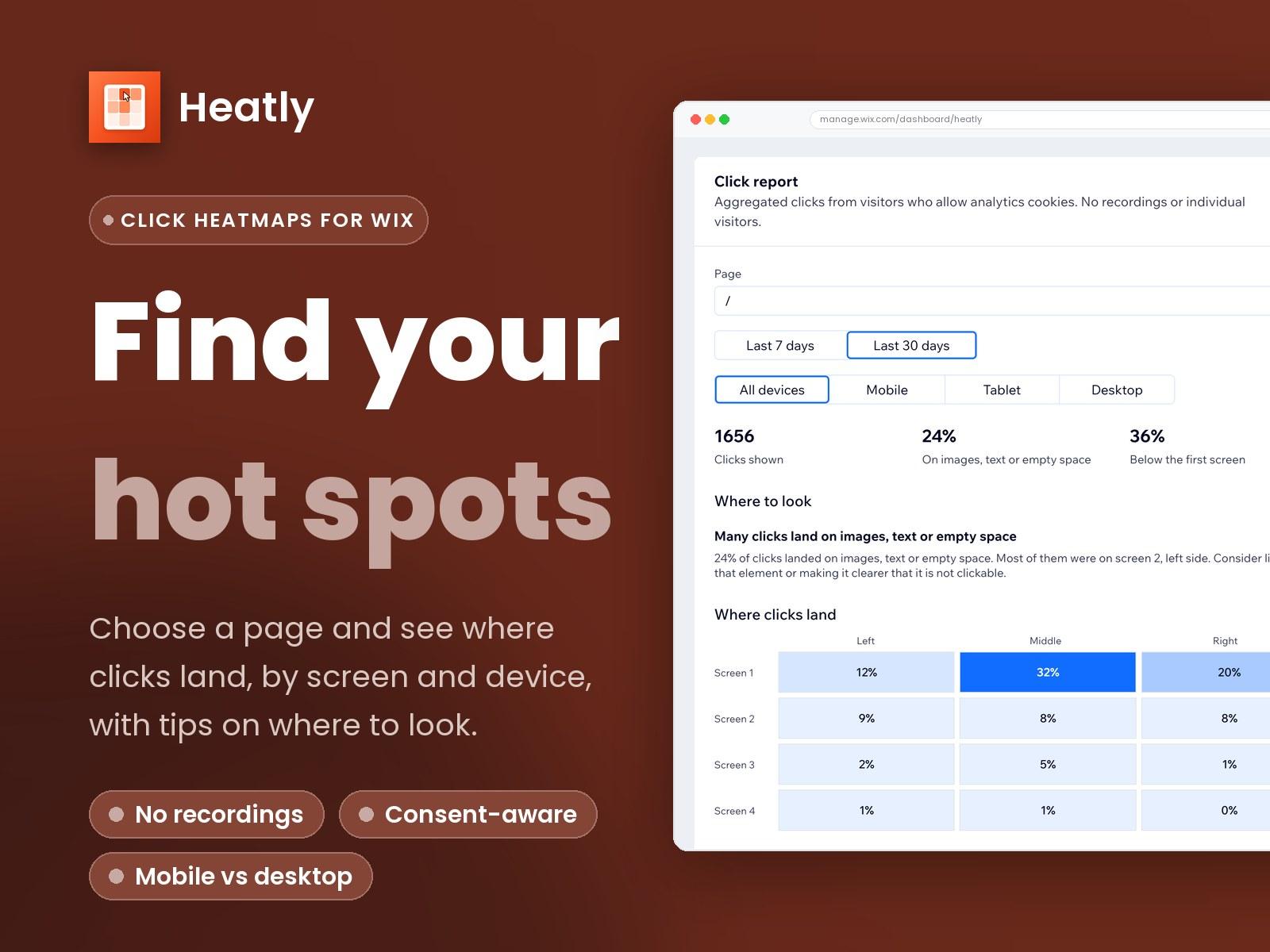
Start with one page and one goal
Pick the page that matters most, such as your home page, a product page or a pricing page, and decide what a good outcome is, for example more clicks on the main button. One page and one goal give you a clear answer instead of a wall of data.
- One important page
- One action you want more of
- A week or two of normal traffic
Measure clicks, not people
Session recorders capture everything a visitor does, which is more than you need and more than many visitors expect. To see whether people find your main action, aggregated counts are enough: which screen, which part of the page and what kind of element.
Heatly counts clicks by screen, by the left, middle or right third of the page and by element type, and only for visitors whose cookie choice allows analytics. It keeps counts for 30 days and never stores text, form entries or visitor IDs.
Read the results
If most clicks land on the first screen but not on buttons, visitors are looking but not finding the action: make the main button more visible or move it up. If clicks are spread across many links, the page may offer too many choices.
Compare mobile and desktop. A button that works on desktop can fall below the first screen on a phone, which shows up as fewer first-screen clicks on mobile.
Change one thing, then compare
Make one change at a time, such as a clearer button label or moving the button up, then let a week of clicks come in and compare the report. Small, single changes make it obvious what helped.
Frequently asked questions
Does Wix have a built-in heatmap?
Wix Analytics shows traffic and behavior reports, but not where clicks land on a page. A heatmap app adds that view.
Do I need a cookie banner?
Heatly respects the site’s Wix consent settings and counts clicks only from visitors who allow analytics. Whether you need a banner depends on where your visitors are; check your local rules.
Why are some areas hidden?
Areas with fewer than five clicks are hidden so a handful of clicks doesn’t look like a pattern.
How much does Heatly cost?
Free studies 1 page with 7-day reports. Pro is $6.99/month and studies up to 5 pages with 30-day reports.
Related Wix guides
Try Heatly on Wix
Free studies 1 page with 7-day reports. Pro is $6.99/month, or $69.60/year when billed yearly (17% off), and studies up to 5 pages with 30-day reports. Billing is handled by Wix.