How to Track Course Attendance and Completion on Wix
How to track attendance for each course session in your Wix dashboard, set completion criteria and issue completion records you confirm yourself.
If you run courses in sessions, such as first-aid training, workshops or a class series, you need to know who attended and who completed. This guide covers installing Coursely, adding a course, setting the completion criteria, marking attendance and confirming completion records.
Install Coursely
Install Coursely from the Wix App Market. It adds a Course Records page to your site dashboard. Coursely works only in your dashboard and doesn’t add anything to your site’s pages.
Free includes 1 course with up to 25 learners. Pro is $6.99/month, or $5.80/month billed yearly, and includes up to 50 courses with up to 100 learners each.
Add a course, its sessions and learners
Open Course Records and create your course. Add each session with its date, then add your learners by name. A course can have up to 30 sessions.
Coursely doesn’t import attendance or learners from Wix Bookings, Online Programs or Events, so add them in the dashboard.
- Create the course
- Add sessions with dates
- Add learners
- Save
Set the completion criteria
Choose how many sessions a learner must attend, which sessions are required, or both. When you confirm the criteria, they get a revision number. If you change them later, the new criteria get the next revision, and records already issued keep the revision they were issued under.
Mark attendance after each session
Pick a session and mark each learner Attended, Absent or Cancelled, or mark everyone attended and change the exceptions. Only sessions marked Attended count toward completion.
Review and confirm completion records
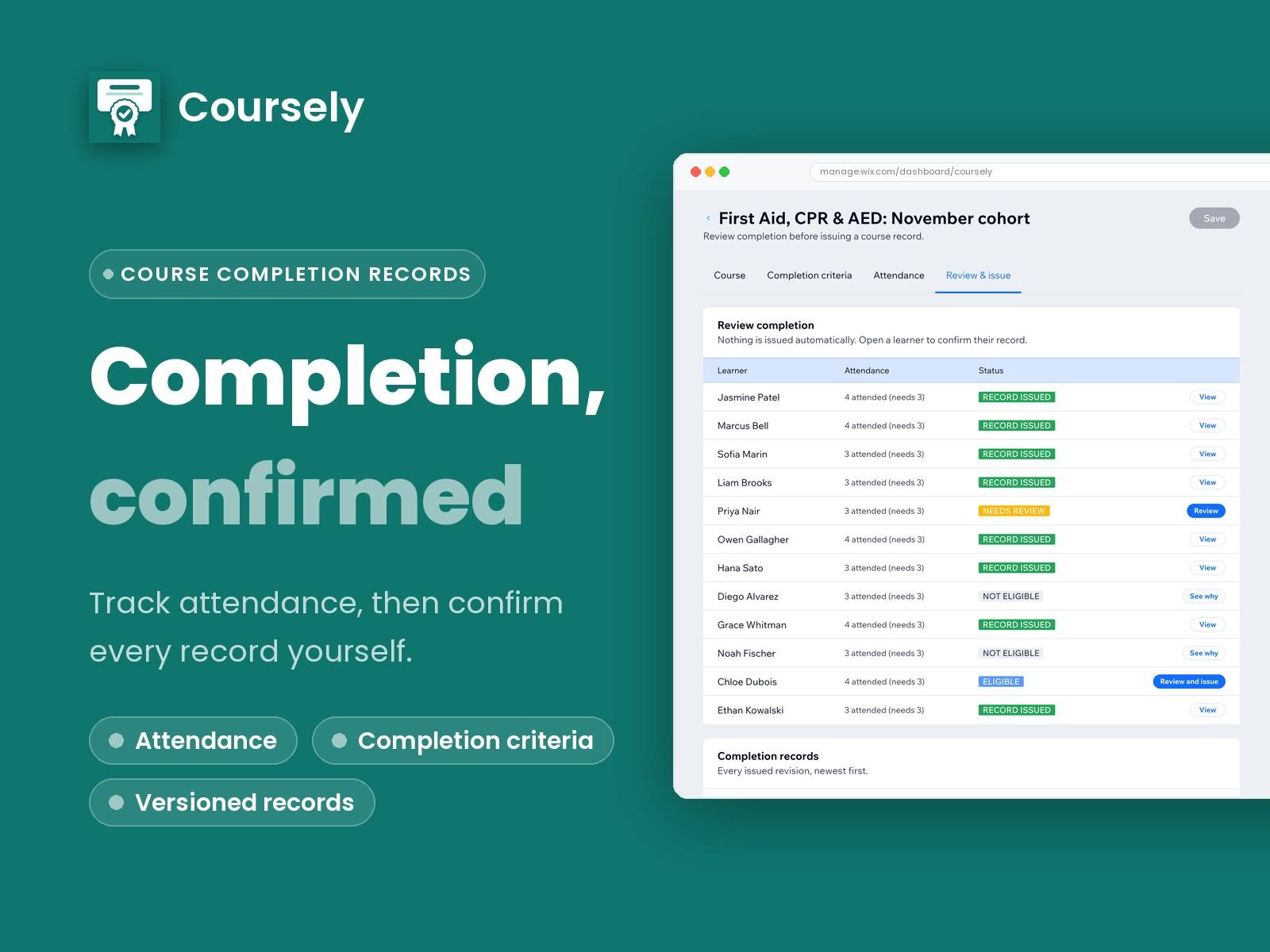
The review table shows each learner’s attendance against the criteria and whether they are eligible, including when a learner missed a required session. Nothing is issued automatically: open an eligible learner, check the evidence and confirm to issue their completion record.
If you correct attendance after a record was issued, the record is flagged for review. Revoke it, or issue a new revision from the current attendance. Coursely keeps every revision, so records are never changed silently.
Frequently asked questions
Can I track class attendance on Wix without code?
Yes. Install Coursely and mark attendance per session in the Course Records page of your site dashboard.
Does Coursely create certificates for learners?
No. Coursely keeps versioned completion records in your dashboard. It doesn’t create PDFs or certificates, and learners don’t see their records on your site.
Can learners mark their own attendance?
No. You record attendance in the dashboard. Coursely has no learner page or check-in on your site.
How much does Coursely cost?
Free includes 1 course with up to 25 learners. Pro is $6.99/month, or $5.80/month billed yearly, and includes up to 50 courses with up to 100 learners each.
Related Wix guides
Try Coursely on Wix
Free includes 1 course with up to 25 learners. Pro is $6.99/month, or $5.80/month billed yearly, and includes up to 50 courses with up to 100 learners each. Every course can have up to 30 sessions. After a downgrade, existing courses and records stay readable; only adding learners past the plan is blocked.